


最新下载










热门教程
- 1
- 2
- 3
- 4
- 5
- 6
- 7
- 8
- 9
- 10
java从linux服务器下载文件代码示例
时间:2022-01-28 编辑:袖梨 来源:一聚教程网
本篇文章小编给大家分享一下java从linux服务器下载文件代码示例,文章代码介绍的很详细,小编觉得挺不错的,现在分享给大家供大家参考,有需要的小伙伴们可以来看看。
一、前端代码
1、html代码
项目文件 合同计划说明书风险说明书服务协议
2、js代码
 //获取文件,主要是从数据库获取到:文件名、文件路径
    function getProjectFiles(type) {
        var fileParam = {
            pageNo: 1,
            pageSize: 10,
            xmId: ${detail[0]["项目ID"]},
            cxlx: type,
        };
        $.ajax({
            url: "/prod/getProjectFiles",
            type: "POST",
            data: fileParam,
            dataType: "JSON",
            success: function (ret) {
                if (ret && ret['code'] > 0) {
                    debugger
                    //渲染界面
                    var dataList = ret['list'];
                    download(dataList[0]["附件名"],dataList[0]["附件路径"]);
                }
            }
        })
    }
//下载文件,调用后端接口
    function download(fileName,filePath){
        window.open("/downloadTwo?fileName="+encodeURI(fileName)+"&downUrl="+filePath);
        return ;
    }
3、css样式
前端的所有样式都是使用layui架构的。
二、后台代码
1、获取文件
主要是,调用存储过程,去数据库获取文件名和文件路径,后面用于下载。
 /**
     * 获取项目文件
     *   I_CXLX       IN NUMBER, --查询类型 1|信托合同 2|信托计划说明书3|认购风险说明书 5|隐私协议|6用户服务协议
     *   I_XSXM      IN NUMBER --发行方案id
     * @param request
     * @param response
     * @param modelMap
     * @return
     */
    @RequestMapping(value = "/getProjectFiles",method = RequestMethod.POST)
    @ResponseBody
    public DataResultSet getProjectFiles(HttpServletRequest request, HttpServletResponse response, ModelMap modelMap){
        int pageNo = ParamUtils.getInt(request, "pageNo", 1); // 页码
        int pageSize = ParamUtils.getInt(request, "pageSize", 10); // 取得显示条数
        String cxlx = ParamUtils.getString(request, "cxlx", ""); // 查查询类型 1|信托合同 2|信托计划说明书3|认购风险说明书 5|隐私协议|6用户服务协议
        String xmId = ParamUtils.getString(request, "xmId", ""); //发行方案id
        DataResultSet productHistory = prodService.getProjectFiles(pageNo,pageSize,cxlx,xmId);
        return productHistory;
    }
2、开始下载
 /**
     * 附件下载
     *
     * @param request
     * @param response
     */
    @RequestMapping("/downloadTwo")
    public void downloadFileTwo( HttpServletRequest request, HttpServletResponse response) {
        String fileName = request.getParameter("fileName");
        String downUrl = request.getParameter("downUrl");
        goToDownload(request, response, downUrl, fileName);
    }
    /**
     * 下载
     *
     * @param request
     * @param response
     * @param downUrl  下载的路径
     * @param fjmc     下载文件的名称
     */
    private void goToDownload(HttpServletRequest request, HttpServletResponse response, String downUrl, String fjmc) {
        response.setCharacterEncoding("UTF-8");
        response.setContentType("application/x-msdownload");
        try {
            String encodenickname = URLEncoder.encode(fjmc,"UTF-8");//转Unicode不然ie会乱码
            response.setHeader("Content-Disposition", "attachment;fileName=" + new String(encodenickname.getBytes("UTF-8"), "ISO8859-1"));
            //这里注掉的代码是本地测试的
//            String path = request.getSession().getServletContext().getRealPath("/");
//            String ATTACH_PATH= AppConfig.getInstance().getProperty("attach.base","");
//            if (StringUtils.isNotEmpty(ATTACH_PATH)) {
//                path = ATTACH_PATH;
//            }
//            logger.debug("=path===" + path);
            File file = new File( downUrl);
            if (!file.exists()) {
                response.sendError(404, "File not found!");
                return;
            }
            long fileLength = file.length();
            response.setHeader("Content-Length", String.valueOf(fileLength));
            BufferedInputStream bis = new BufferedInputStream(new FileInputStream(file));
            BufferedOutputStream bos = new BufferedOutputStream(response.getOutputStream());
            byte[] buff = new byte[2048];
            int bytesRead;
            while (-1 != (bytesRead = bis.read(buff, 0, buff.length))) {
                bos.write(buff, 0, bytesRead);
            }
            bis.close();
            bos.close();
        } catch (FileNotFoundException e) {
            e.printStackTrace();
        } catch (IOException e) {
            e.printStackTrace();
        }
    }
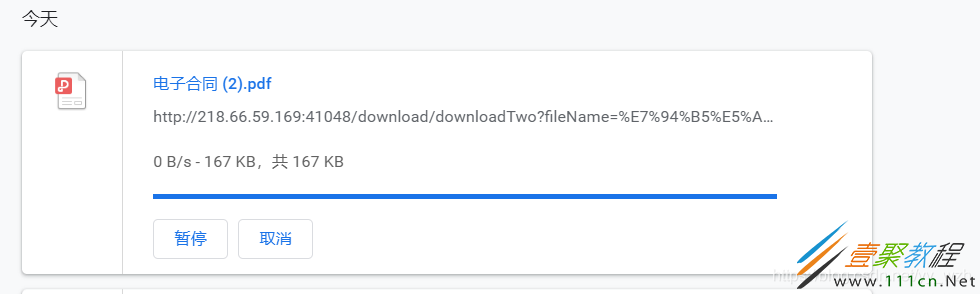
三、效果

直接点击文件图片或者文件,就可以下载。
-
上一个: JAVA实现经典游戏坦克大战代码示例
相关文章
- SpringBoot自定义bean绑定解析 10-24
- Javaweb工程运行报错HTTP Status 404解决教程 10-20
- JAVA获取jvm和操作系统相关信息方法 10-20
- BeanFactory和FactoryBean的区别讲解 10-20
- 微信小程序的宿主环境实现教程 10-10
- dispatchEvent解决重叠元素响应事件教程 10-10